

For mobile detailers at every stage
Booked should mean booked.
Customers book from one link and pay the deposit you set, so the slot is held. Your diary, reminders and weather checks live in the same place.
No card needed for the Free plan. The 14-day Pro trial asks for a card, but charges nothing until it ends.
Trusted by

Your bookings are scattered across too many places.
A request arrives in your DMs. The time gets agreed on WhatsApp. The deposit comes by bank transfer, or it doesn't. The customer's details end up in a spreadsheet and the receipt is a screenshot.
- Calendar
- Text messages
- Social DMs
- Spreadsheets
- Chasing payments
- Receipts
DetailersEye keeps the booking, the payment, the reminder and the customer record together.
Built for the parts of the job you don't get paid for.
Protecting the slot, checking the forecast, chasing the balance. None of it is billable, and all of it takes time.
A deposit that holds the slot
Choose a percentage, a fixed amount or no deposit at all. Customers see what is due now and what is due on the day before they confirm. Payments go to your own Stripe account.
Times that fit your route
Customers can only pick times that fit your working hours and the drive between jobs. You never have to unpick a booking that could not work.
Weather checked before you commit
On Pro, mark a service as dry-only and customers are only offered times where the forecast suits it, and upcoming jobs are watched for rain and wind too. You decide what moves, and nothing is rescheduled for you.
Set it up once, then share one link.
Add your services
Prices, durations, working hours and how much deposit you want. You can change any of it later.
Share your booking link
Put it in your social bio, your replies and on your website. Customers pick a time without a message back and forth.
Turn up and detail
Deposits, reminders and receipts go out on their own. Your day sits on one screen, with the forecast beside each job.
A booking page that makes you look organised.
Customers book without creating an account. They give their details once, choose a service and a time, and manage the booking from a link in their confirmation.
- The deposit and the balance, shown before they confirm
- Your cancellation terms in plain view, then again on their booking page
- Their choice of WhatsApp, text or email for updates
- Saved cars and addresses for returning customers
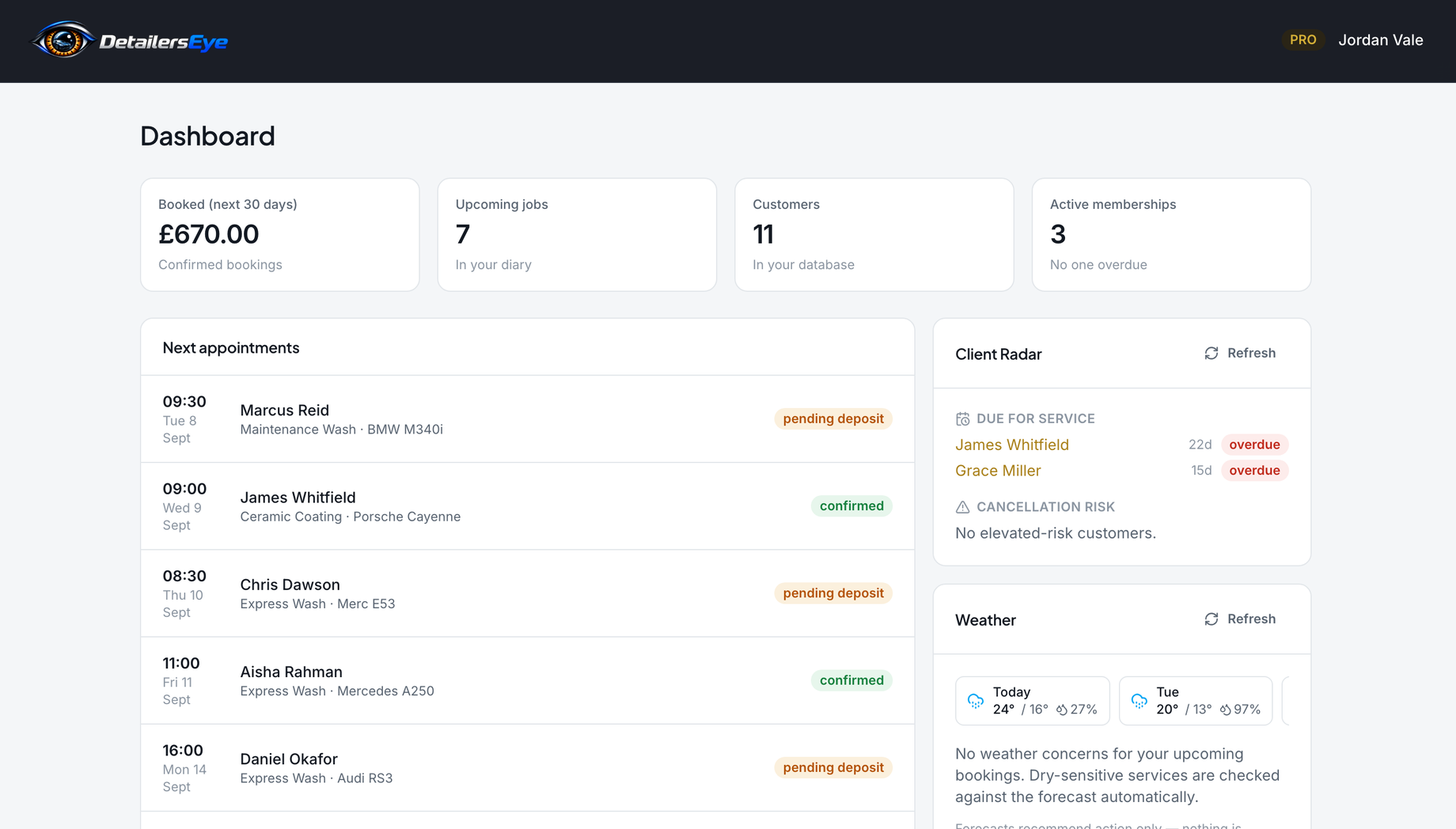
One screen for the whole week.
Today's jobs and what has been paid, wherever you are. On Pro, Client Radar also shows who is due a service and who might cancel.
- 08:30M. Reid · Maintenance Wash
- 10:00P. Shah · Interior Deep Clean
- 13:00O. Bennett · Full Valet
- 16:15J. Whitfield · Stage 1 Polish
Start free. Add Pro when you want more.
The Free plan runs a small diary with no time limit. Pro is £119 a month, or £99 a month billed annually. It removes the limits and adds Client Radar, Fill My Day, automated messages, weather rules and alerts, calendar sync, trade accounts and your own branding. Compare the plans →